I have been using Clarion Professional latest version for a few days now. I am having frequent crashes like 6-12 times a day. Does anyone know what could be causing this? I am running on a HP Pavilion 12th gen Intel i5-1235U with 12GB ram. Thanks.
In my experience, it depends on what you are doing. If you are adding control templates onto a window, the IDE becomes very unstable. What I tend to do is, after I have added a control template, I immediately exit the IDE and go in from the start. This is painful but it reduced my number of crashes to about none.
Never say “latest version”. Always specify an actual build number.
Also what are you doing at the time? Window formatter? Embed tree? Opening an app? Or what?
My Clarion 11.1.0 build 13810 is also crashing frequently. When I open help from Clarion and keep it open it’s almost guaranteed to crash after a while. Window formatter also crashes. Sometimes when opening or closing embed editor. I learned to click save button every time I make a change in code, unfortunately I often work on a few app’s for multi dll project and have these opened so closing IDE frequently is time consuming.
However I from my experience the newer the version the more frequently crashes occur. I kept on working with Clarion 6.3 for a long time, migrated straight to C11 in 2022. What I noticed is that Clarion 6 started crashing when it was run on a XP virtual machine on SSD drive. I had to set up a vm on a machine wit SATA drive to be able to work. After migrating VM to SATA disk crashes stopped immediately and Clarion 6 was very stable. Not sure how much of the IDE code was rewritten, but Claion 9 nor 10 on SATA did not crash, it does now on SSD.
I vaguely remember from the old CFD 3.1 days there was a problem with faster CPU, I think it was Pentium at the time. Clarion programs were crashing when run on the faster CPU causing divide-by-zero error and someone published a fix for one of the dll’s to make it work. The fix was about changing a few bytes in a dll to bypass faulty speed check loop.
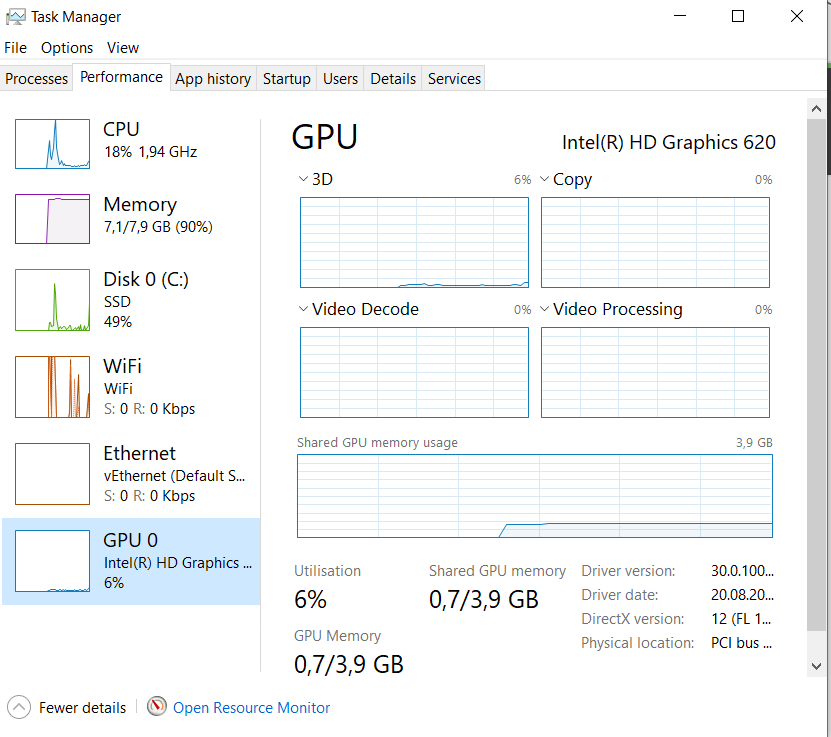
Seems like it may be a graphics memory problem. I have a HP laptop that is fairly new but I checked the specs today and it only has 128 mb of graphics memory. Specs for Clarion require 2 gb. Headed to the store tomorrow for a new laptop.

I used to have a heap of problem that I finally traced to the clarionproperties.xml
I found a backup of that file from a time when it all worked and, boom, no more crashes. I now keep a good copy of the file for just in case 
edit: I should note that others have also fixed this in the same way. So it does work
There is also a small program from SV that clears/ regoobles a few files called ResetIDE.exe in the /bin directory of clarion. That can sometimes work as well.
There is also a program by @CarlBarnes that cleans up a few entries in the xml files as well that can fix problems.
Like @seanh has stated, consistent crashing can occur due to the clarionproperties.xml file.
I can run C11EE on a Lenovo Ideapad Gen 8 which has just 4Gb of ram, windows 10/11home, 128GB uEFS (mobile phone “disk” technology - very cheap). I can also run VMware Workstation 17 on it, and run C6 on a virtual XP/Win7x32.
VMware doesnt really like some SSD (and uEFS drives) so for stability make any virtual disk a SATA drive. Its a more reliable driver.
But for the size of these tech companies like Microsoft, Lenovo and others, their software is awfully buggy, making their use a form of punishment.
Edit.
And even though its 2026, make sure your antivirus is not monitoring the IDE folder and subfolders. Some of them will scan the IDE file’s which get opened frequently.
This might also help.
https://github.com/Intelligent-Silicon/Windows-Defender
All of it. More accurately C6 was 16 bit, c7+ is 32 bit. So at the very least any source that was reused was compiled differently.
Also you noted going from C6 to C11. Perhaps recently? In which case you’ve not been trained (as long time users have) in the rhythm to avoid gpfs. Unfortunately that rhythm is now so ingrained that I’m not sure i even know its there anymore.
The IDE crashes on me no more than a couple times a year. But my behaviors have been tuned over the last 15 years to the point i dont notice them anymore. And I should note that most of my habits are probably no longer applicable. The IDE has had fixes too.
For example i use the embeditor (from the app tree) not the embed tree. Firstly because i like seeing the context of my code. And secondly because the embed tree (for me) can gpf.
As others noted earlier, dropping control templates on a window also makes the window designer fragile. Drop, close, back into designer is my pattern.
Theres also a 2 gig limit for the IDE. So while you can open multiple apps, they need memory. Open too many at the same time and poof.
I’d also recommend you watch some weninars on IDE settings and spend some hours setting it up to suit your needs. There are lots of settings depending on what you prefer. That will make your life so much better.
That is the #1 thing I have seen that will crash the IDE.
Also using F2 to copy/clone a control more than once can be “iffy”.
Like you Bruce, I add the control template or clone a control, then exit the Window Designer, usually click save and then go right back into it. That way if it does happen to crash I can go right back to where I was.
I use both the embeds and the embeditor and have no problems with either one, but then again I don’t use massive amounts of code in any embed.
The IDE is not perfect to be sure, but it still beats the old one for productivity.
Charles
It doesn’t sound like any of you are running Clarion in a VM, but if you ever do, you need at least 2 cpu cores in the VM or the IDE is very unstable.
That’s the only way I use Clarion. But you are right that it needs adequate resources.
I believe I have the crashing issue resolved. I moved Clarion to my desktop computer and didn’t have any more problems so I went and purchased a Dell laptop witj 32GB memory, Intel Arc 16GB GPU and a 1TB SSD. So far so good. Thanks all.
One tip is to sort of slow down your mouse and keyboard work until the IDE catches up.
In the C6 IDE you could hammer it, you could click ahead with the mouse and type ahead. I have found that will lock up the new IDE.
In short slow down means click on something, then wait for it to obviously happen, then click on the next thing. If you do click ahead, and it appears to pause … stop clicking and wait for it to catch up … it usually will.
Same for working in the Property sheet. I can tab thru entries and change things sometimes faster than it keeps up. Like typing in Indent then changing Alignment in the drop list. Type something then wait for it to happen.
OneDrive can mess around with Clarion because it can synch the My Documents folder.
Switching off OneDrive can stop those random crashes, or save your clarion work to a folder which OneDrive doesnt synch.