Introducing Addin Finder — a community addin manager for the Clarion IDE
I’ve been working on a set of open-source addins for Clarion and wanted a better way to distribute and update them. The result is Addin Finder — a dockable pad that lets you discover, install, update, and
remove community addins without ever leaving the IDE.
How it works
Install Addin Finder once manually (download the zip, extract to your addins folder, restart Clarion). After that, everything else is one click — including updating Addin Finder itself.
Download: Release Addin Finder v0.5.13 · msarson/ClarionAddinFinder · GitHub (Release Addin Finder v0.5.13 · msarson/ClarionAddinFinder · GitHub)
Extract AddinFinder-v0.5.13.zip into:
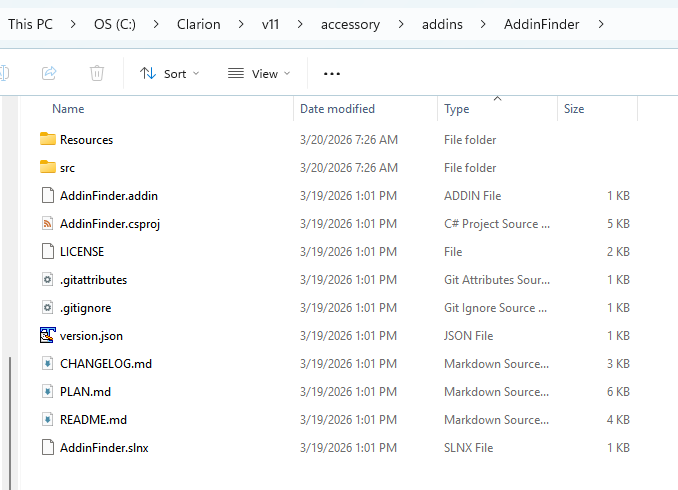
C:\Clarion\Clarion11.1\accessory\addins\AddinFinder\
Restart Clarion and look for the Addin Finder pad under View → Pads (Ctrl+Alt+A).
Addins available now
Four addins are listed in the registry at launch:
 GitPane — Visual Git integration A dockable pad for commit, push, pull, branching, stash, history, and merge conflict resolution — all without leaving Clarion. Supports both local and remote operations
with real-time sync status in the pad title. → GitHub - msarson/Clarion-GitPane: Visual Git integration for Clarion IDE - A dockable pane providing simple Git operations (commit, push, pull, branch management) directly within the Clarion IDE · GitHub (GitHub - msarson/Clarion-GitPane: Visual Git integration for Clarion IDE - A dockable pane providing simple Git operations (commit, push, pull, branch management) directly within the Clarion IDE · GitHub)
 Flatten Code — Collapse line continuations Clarion’s | line continuation is great for readability but makes copy/paste, diffing, and grepping painful. Flatten Code joins continuation lines back into
single logical lines and collapses adjacent string literals. Available via Ctrl+Shift+F, the Edit menu, and the right-click context menu — only activates when the caret is inside a continuation block. →
GitHub - msarson/FlattenCode: Clarion IDE addin that flattens line continuations (|) into single logical lines · GitHub (GitHub - msarson/FlattenCode: Clarion IDE addin that flattens line continuations (|) into single logical lines · GitHub)
 List Format Parser — Decode FORMAT() attributes Place your caret anywhere on a LIST control definition, right-click → Parse List Format. Displays every column’s width, alignment, indent, modifiers (with
plain-English hover descriptions), header, and picture in a readable grid. The Copy FORMAT button regenerates a clean normalised FORMAT() string ready to paste back. →
GitHub - msarson/ListFormatParser: Clarion IDE addin that parses and normalises LIST FORMAT() column definitions · GitHub (GitHub - msarson/ListFormatParser: Clarion IDE addin that parses and normalises LIST FORMAT() column definitions · GitHub)
 Clarion Markdown Editor — Markdown in the IDE A fork of peterparker57’s Clarion Markdown Editor with split-pane live preview, syntax highlighting, tabbed multi-file editing, and dark mode sync. Opens
.md files directly within Clarion. → GitHub - msarson/ClarionMarkdownEditor: A Markdown file viewer and editor addin for the Clarion IDE with split-pane live preview · GitHub (GitHub - msarson/ClarionMarkdownEditor: A Markdown file viewer and editor addin for the Clarion IDE with split-pane live preview · GitHub)
Want to publish your own addin?
The registry is a community resource. Submit a PR to add your addin: → GitHub - msarson/clarion-addin-registry: Community registry of open-source Clarion IDE addins · GitHub (GitHub - msarson/clarion-addin-registry: Community registry of open-source Clarion IDE addins · GitHub)
Building an addin for the first time? There’s a developer guide (clarion-addin-registry/DEVELOPING.md at master · msarson/clarion-addin-registry · GitHub) covering project setup, the .addin manifest, base classes, icon
registration, threading, and common pitfalls.
All source code is MIT licensed. Feedback and contributions welcome!