does anyone know the exact syntax needed to play an MP3 music file? What global items are needed, if any, and what is the exact syntax?
sndPlaySound() is the API function. I found these 2 links
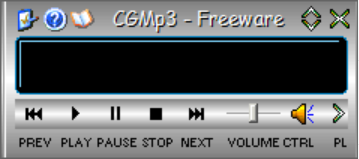
Found some 15 years old app (it is named mp3), you can try if it works..
https://limewire.com/d/wO5M2#Foi04HxQBc
Hi Wayne,
If you are looking for quick and easy you can always use vuFileTools.
You can play it synchronously or wait until it is done for your code to continue.
Details and code example here:
Information about vuFileTools here:
https://www.clarionproseries.com/html/vufiletools.html
Charles
Video of it in action:

I needed to play an MP3 (not a WAV) some time ago, I used Jim Kane’s 2002 article now archived on IceTips, it still works on Windows 10.
I was going to suggesting using MCI and I even have a class that wraps it
But when I went to check documentation, it appears that it has been replaced with
MediaPlayer Class (Windows.Media.Playback) - Windows apps | Microsoft Learn
Here’s the older MCI
MCI - Win32 apps | Microsoft Learn
Hello Wayne,
Many years ago, I published the source code for my MP3 player application, which used this code:
   PROGRAM

    MAP
        MODULE('Windows API')
            MciGetErrorString(ULONG, *CSTRING, USHORT), SHORT, PASCAL, RAW, PROC, NAME('MciGetErrorStringA')
            MciSendString(*CSTRING, *CSTRING, USHORT, USHORT), ULONG, PASCAL, RAW, PROC, NAME('MciSendStringA')
        END
    END


MciStringRequired   CSTRING(128)
MciRetrurnedValue   CSTRING(128)
MciErrorNumber      LONG
MciErrorString      CSTRING(128)
FilePlayed          STRING(255)

PlayWindow          WINDOW('Play Mp3'),AT(,,200,40),CENTER,IMM,AUTO,SYSTEM,FONT('MS Sans ' & |
                        'Serif',8,,FONT:regular,CHARSET:ANSI),COLOR(0F5F5F5H)
                        BUTTON('Play'),AT(43,12),USE(?BtnPlay)
                        BUTTON('Stop'),AT(84,12,32,14),USE(?BtnStop),COLOR(0F5F5F5H)
                        BUTTON('Exit'),AT(125,12,32,14),USE(?BtnExit),COLOR(0F5F5F5H)
                    END

    CODE

        OPEN(PlayWindow)
        DISPLAY()

        ACCEPT

            CASE FIELD()

            OF ?BtnPlay
                CASE EVENT()
                OF EVENT:Accepted
                    FilePlayed = ShortPath('.\Test.Mp3') ! or Test.Wav
                    MciStringRequired = 'status Mp3 mode' ; DO PlayMci
                    IF MciRetrurnedValue = 'stopped'
                        MciStringRequired = 'close Mp3' ; DO PlayMci
                    END
                    MciStringRequired = 'open mpegvideo!' & CLIP(FilePlayed) & ' alias Mp3' ; DO PlayMci
                    MciStringRequired = 'play Mp3' ; DO PlayMci
                END

            OF ?BtnStop
                CASE EVENT()
                OF EVENT:Accepted
                    MciStringRequired = 'stop Mp3'  ; DO PlayMci
                    MciStringRequired = 'close Mp3' ; DO PlayMci
                END

            OF ?BtnExit
                CASE EVENT()
                OF EVENT:Accepted
                    CLOSE(PlayWindow)
                END
            END

        END

PlayMci             ROUTINE

    CLEAR(MciRetrurnedValue)
    CLEAR(MciErrorNumber)
    CLEAR(MciErrorString)
    MciSendString(MciStringRequired, MciRetrurnedValue, 128, 0)
    MciGetErrorString(MciErrorNumber, MciErrorString, 128)
Thank You Carl. The sndplaysound seems to work.