If it is a standard Clarion generated procedure adding a button to the window will automatically generate events to the Accept loop. So if you want to do it the way you are proposing you could call a Function procedure to get your search string, save the returned value to a local variable and update your browse filter to use the returned search string as a filter.
The Function to get your search string could be local to your browse procedure, or an extra procedure. It’s possible to get your popup window positioned wherever you like, so it could be above your button for example.
But why not just have an entry field on your browse procedure?
The space on the window is limited and I’d have to move things around.
That would cause user ‘disenchantment’
Also, I’d like the Find function to work like every other find function from web browsers to the Clarion IDE where a small window pops up for entry and navigation for find.
It’s also not a filtered browse. It’s more of a document where I won’t be hiding anything based on the found value.
!Add this to your existing procedure's DATA section:
FindDialog          WINDOW('Find'),AT(,,250,100),CENTER,GRAY
                       PROMPT('Search for:'),AT(10,15)
                       ENTRY(@s255),AT(10,30,180,12),USE(SearchText),IMM
                       BUTTON('&Find'),AT(200,30,40,12),USE(?FindButton),DEFAULT
                       BUTTON('&Cancel'),AT(200,50,40,12),USE(?CancelButton),STD(STD:Close)
                     END

SearchText           STRING(255)

  !Add this code block where you want to show the find dialog:
  OPEN(FindDialog)
  ACCEPT
    CASE EVENT()
    OF EVENT:Accepted
      CASE FIELD()
      OF ?FindButton
        ! Add your Find logic here
        ! Example:
        ! IF INSTRING(SearchText, SomeField, 1, 0)
        !   MESSAGE('Found: ' & SearchText)
        ! ELSE
        !   MESSAGE('Not found: ' & SearchText)
        ! END
        POST(EVENT:CloseWindow)
      END
    END
  END
  CLOSE(FindDialog)
Does this make the find window model?
Can I post events to the main window accept loop do I can re-position the data in the display to what is found? The issue being there is a high likelihood of more than 1 match and I’d like to
This is the window I had defined:
FindWindow          WINDOW,AT(,,239,84),CENTER,GRAY,FONT('MS Sans Serif',8,,FONT:regular)
                        PROMPT('Find:'),AT(30,17),USE(?searchstr:Prompt)
                        ENTRY(@s30),AT(51,17,128,10),USE(searchstr)
                        BUTTON('Find Next'),AT(134,47),USE(?f_next)
                        BUTTON('Find Previous'),AT(50,47),USE(?f_previous)
                        BUTTON('Cancel'),AT(189,61),USE(?f_cancel)
                    END
Yes, there is a secondary Accept loop, and maybe follow Carl’s advice below, as in my case, I usually wait for the FindWindow to close before returning to my main loop
For this to work the way you want it will need to be multi-threaded i.e. the Find Window will need to run in its own Thread and you have to POST(events,Thread Number) or NOTIFY(code, Thread)
Normally you would have the MDI attribute on a separate thread Window, but in this case use TOOLBOX on the Find window:
Edit: ToolBox not good for your window with an ENTRY, see Rick’s post below
The TOOLBOX attribute specifies a WINDOW that is “always on top”. Neither the WINDOW nor its controls retain input focus. This creates control behavior as if all the controls in the WINDOW had the SKIP attribute.
Normally, a WINDOW with the TOOLBOX attribute executes in its own execution thread to provide a set of tools to the window with input focus. The MSG attributes of the controls in the window appear in the status bar when the mouse cursor is positioned over the control.
There are several more details. You need to keep track of the 2 thread numbers so the 2 procedures can POST or NOTIFY each. The FindStr needs to be “visible” to both. The easy way is with Global or Module variables.
Rather than use the toolbox option, I recommend you use SetWindowPos with the HWND_TOPMOST option.
This will keep it on top of all other window but it can have focus. The toolbox option make a window that can’t have focus. Difficult to have the user type in the search value.
WinEvent has a WinOnTop function that calls SetWindowPos.
If you want your popup window to appear with its own taskbar button, you are going to need to adjust the window styles a bit and I use SendMessageA to post back to the main frame thread, as this injects yourself into the mainframe thread straight away, no need for synchers then, add the action or event to a queue on the mainframe thread and process at your leisure…
Havent finished the ISWA_SetWindowPos code but thats needed to update the window style changes after ISWA_SetWindowLongA.
Loc:WindowHandle            =  0{PROP:Handle}
Loc:PreviousParentHandle    = ISWA_SetParent(Loc:WindowHandle, 0) ! Remove Parent Window Handle
!!Loc:OwnerHandle = ISWA_GetWindow(Loc:WindowHandle, ISEQ:WindowStyle:GW_OWNER)
!
Loc:StyleExtendedOriginal   = ISWA_GetWindowLongA( Loc:WindowHandle, ISEQ:WindowStyle:GWL_EXSTYLE)
!
Loc:Mask                = 0FFFFFFFFh - ISEQ:WindowStyle:WS_EX_TOOLWINDOW  ! All bits set except the one we want to clear
!
Loc:NewStyle            = BAND(Loc:OriginalStyle, Loc:Mask)  ! Remove tool window
Loc:NewStyle            = BOR(Loc:NewStyle, ISEQ:WindowStyle:WS_EX_APPWINDOW)  ! Add app window
Loc:PreviousStyle       = ISWA_SetWindowLongA(Loc:WindowHandle, -20, Loc:NewStyle)
!Display()
!!Loc:Bool                = ISWA_SetWindowPos(Loc:WindowHandle, ISEQ:WindowStyle:HWND_TOPMOST, Long pX, Long pY, Long pCX, Long pCY, Ulong puFlags),Bool,Pascal,Name('SetWindowPos')
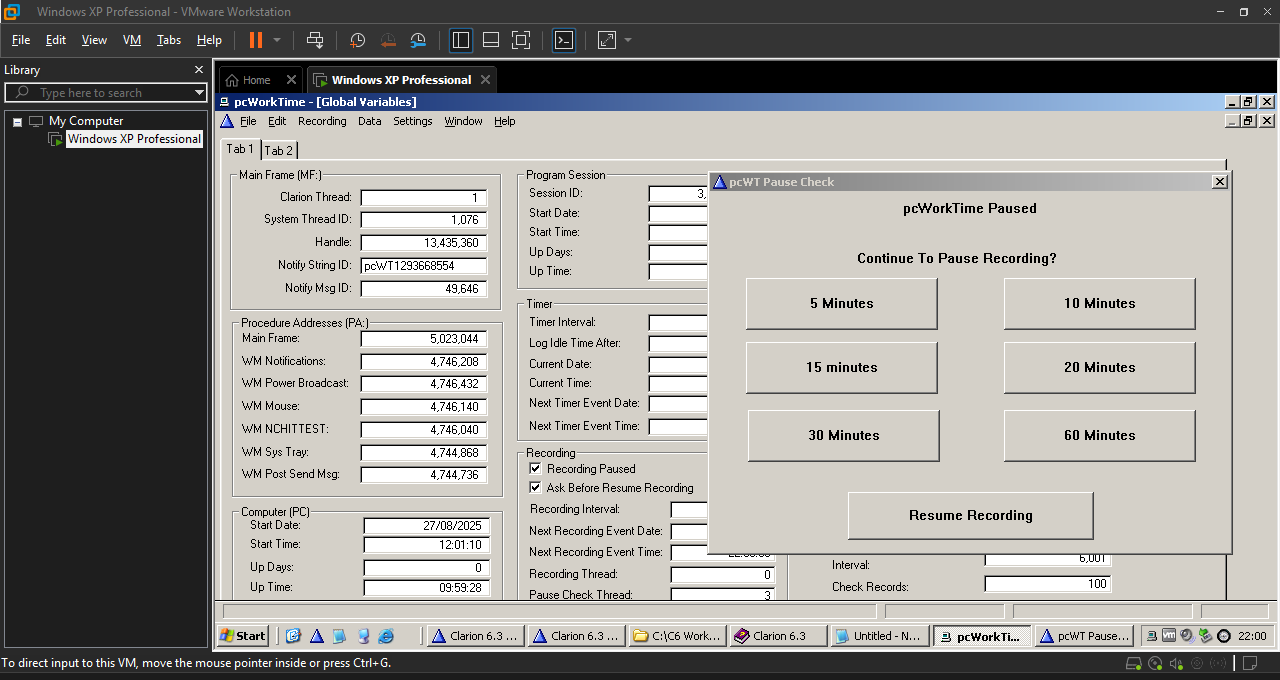
The last two taskbar buttons and the first systray icon all belong to the app. Had to code the systray icon handler myself.
Because Notify is LIFO, you could get away with using it simply to bump the accept loop, and then process events or actions from your own Queue in a FIFO manner, but once you start stepping away from the Clarion default options, you’ll rapidly get down into windows api which will slow things up a bit discovering just what exactly is going on in the Clarion runtime.